
Non Transaction Account R20: Meaning and How to Fix It
R20 means the receiving account is a non-transaction account that does not permit the ACH entry, so retrying the same account will fail. You're likely reading this because a payment you expected to collect came back marked non transaction account R20, even though the customer insists the account is open and funded. That mismatch is confusing, but it's also the clue. The account can be real and still be the wrong kind of account for this debit.
What R20 Means and How It Differs From a Card Chargeback
R20 means the bank refused the ACH entry because the receiving account isn't eligible for that transaction, even though the account may be open and valid. The Buildium R20 return guide defines R20 as “Non-Transaction Account”, an entry sent to an account against which transactions are prohibited or limited, with the receiving bank required to return it within 2 banking days of settlement.
Think of a vending machine that takes coins, but whose slot accepts only certain coins. Your coin isn't fake and it isn't worthless. The slot won't accept it. R20 works the same way. The key test isn't whether the account holds money, it's whether the account can take transactions of this kind.
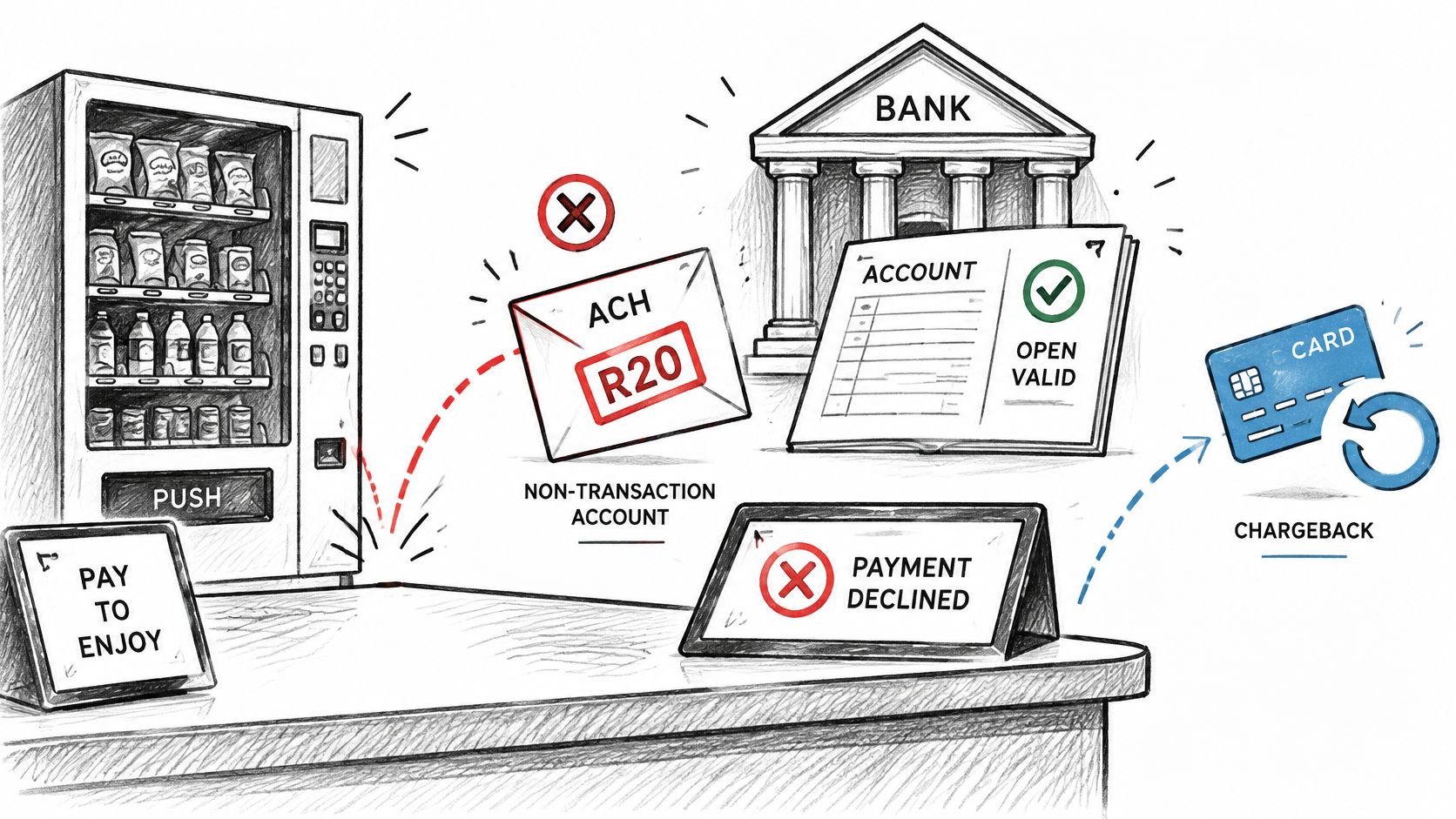
Restrictions come from the account type or the bank's own rules, and those rules vary by institution. A customer may believe a savings account will work, while their bank blocks that specific debit. That's why you shouldn't treat R20 as a sign the customer lied about their balance or identity.
Why This Is Not a Card Chargeback
R20 is an ACH return code, not a Visa or Mastercard chargeback reason code. A card chargeback starts when a cardholder disputes a charge with the issuer and then follows card network deadlines and evidence rules. An ACH return starts with the receiving bank applying ACH network rules to the entry itself.
The sequence is short:
- You submit the debit using the routing and account numbers on file.
- The entry settles through the ACH network.
- The receiving bank identifies the account as a non-transaction account.
- The R20 return arrives within that 2 banking day window.
- You act before the next billing run by getting a different account or payment method.
Card dispute alerts and representment tools don't cover this kind of return, and waiting won't recover the payment. There's no dispute to win with evidence because the customer hasn't claimed the charge was unauthorized. The bank has said this account can't accept this entry.
Practical rule: If the code is R20, don't ask whether the customer had enough money. Ask whether the account was ever eligible for the debit.
That distinction saves time. A balance problem might resolve in a few days. An account-type problem won't, because the underlying classification of the account hasn't changed between attempts.
R20 Compared With Other ACH Return Codes
A return marked R01 may be eligible for re-presentment if the balance changes. R09, which means uncollected funds, may also be re-presented within applicable NACHA limits. R20 is different: repeating the debit to the same account will not change its account type.
For a wider reference, see this guide to NACHA return codes. The table compares R20 with return codes merchants may mistake for the same problem.
R20 compared with other common ACH return codes
| Code | Meaning | Retry the Same Account? | Fix |
|---|---|---|---|
| R20 | Non-transaction account; account type does not permit the entry | No | Obtain a transaction-enabled account or use another payment method |
| R01 | Insufficient funds | Yes, within NACHA re-presentment limits | Re-present within limits or contact the customer about the balance |
| R02 | Account closed | No | Request new account details |
| R03 | No account or unable to locate account | No | Verify the account and routing numbers with the customer |
| R04 | Invalid account number structure | No | Correct the account number |
Start with the return code, not just the description. Find it in your return file or processor dashboard, then use the table to identify the likely fix. Dashboard wording can differ, while the code identifies the return reason.
R20 differs from R02, R03, and R04 because the account may exist and its number may be correct. The problem is that the account type does not permit the debit. Dwolla's transfer failure documentation describes R20 as an ACH entry sent to a non-transaction account and lists a 2-banking-day return timeframe.
Account Types That Commonly Trigger R20
The account type matters more than the bank name. The same bank can accept ACH debits on checking while blocking them on savings, so a familiar bank logo tells you nothing about eligibility. Read the table from lowest to highest risk.
Account types and their R20 risk
| Account Type | R20 Risk | Why It Fails | What to Request |
|---|---|---|---|
| Checking account | Low | Built for ACH debits and credits | Accept as the default |
| Savings account | Varies by bank | Some banks block ACH debits on savings | Ask for checking |
| Money market account | Varies by bank | Limited transactions allowed | Ask for checking |
| Certificate of deposit | High | Fixed term, not built for debits | Ask for checking or another method |
| Loan account | High | Used for repayment, not for deposits | Ask for a deposit account |
| Escrow or custodial account | High | Restricted to holding funds for a third party | Ask for the business operating checking account |
Checking accounts accept ACH by design, so they're your default request. Savings and money-market accounts sit in the middle because each bank sets its own transaction limits. One customer's savings account may work while another's returns R20, and neither customer did anything wrong.
Certificates of deposit, loan accounts, and escrow or custodial accounts are generally non-transactional. They're built to hold funds for a term, receive loan repayments, or hold money for someone else, not to take routine debits. This applies to business accounts too, so a B2B invoice paid from a business escrow or loan account fails the same way a consumer payment does.
Say a subscription customer enters a savings account at signup. The first monthly debit returns R20 shortly after settlement, and you learn the account type was the blocker rather than the customer's funds. You then ask for a checking account and billing resumes. Before you accept the replacement, ask the customer to read the account type from their statement or banking app instead of guessing from the account nickname, since nicknames like "main account" reveal nothing.
Choose a Replacement Payment Method After R20
Start with one decision rule. If the customer has a checking account, request ACH on that account. It keeps the payment in the same channel and usually costs the least. If they don't, move to a card or digital wallet rather than hunting for another restricted bank account.
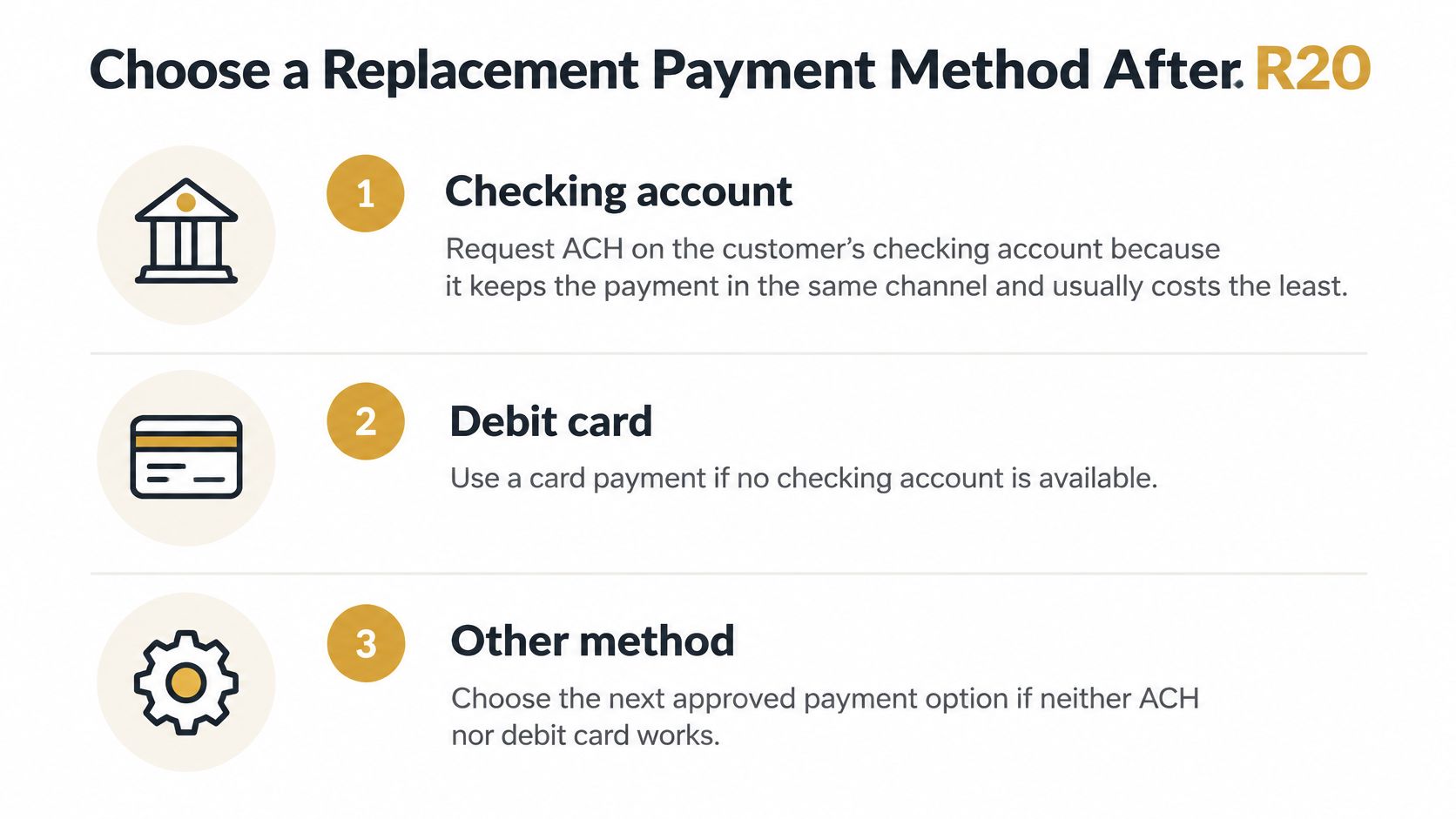
Replacement payment methods after R20
| Method | Cost | Fit for Recurring Billing | Authorization Needed |
|---|---|---|---|
| New checking account by ACH | Lowest | Strong, same channel | New ACH authorization for the new account |
| Debit or credit card | Higher processing fees | Strong, needs a card on file | Card authorization on file |
| Digital wallet | Card-like processing fees | Strong where the wallet supports recurring payments | Wallet authorization |
| Another bank account in the customer's name | Same as ACH | Strong once verified | Same ACH authorization rules |
| Paper check or invoice for business customers | Manual handling | Weak, slow and manual | Invoice or check approval |
For each option, check three things: whether the customer has it, whether it suits recurring billing, and what authorization it requires. Our overview of alternative payment methods helps you weigh those trade-offs. If you're wiring the replacement flow into your billing system, payment webhook integration guidance can help your team trigger the right follow-up the moment a return posts.
Once the customer chooses, confirm the method, document the authorization, and remove the R20 account from active billing. Send a short confirmation so the customer knows the subscription is safe and won't be debited twice.
How to Respond to an R20 Return
Work through these steps in order. Skipping ahead to resubmission is how merchants collect a second identical return.
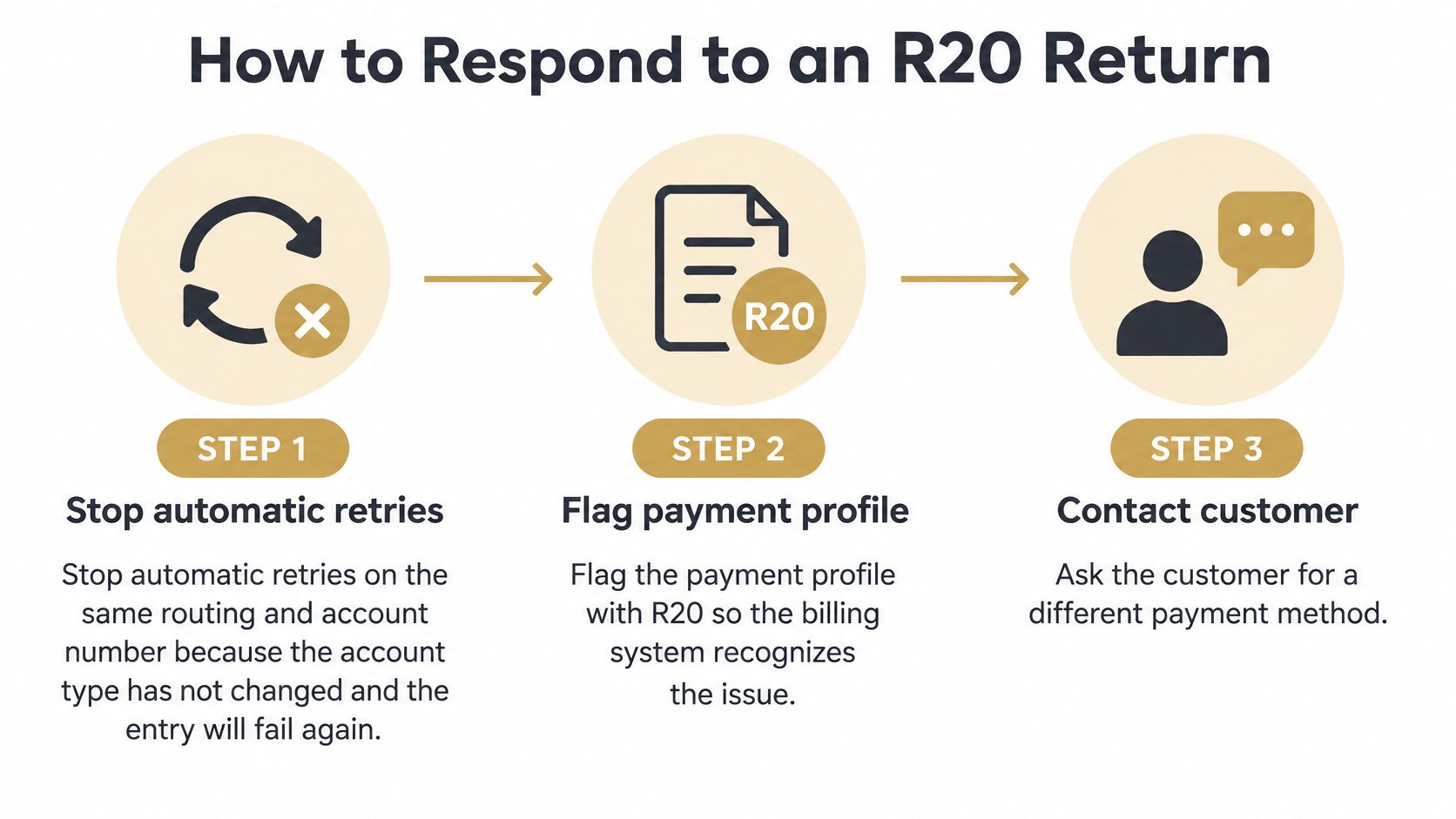
Stop automatic retries on the same routing and account number. The account type hasn't changed, so the entry will fail again. The common slip is leaving the standard dunning retry switched on because nobody told the billing system this return is different.
Flag the payment profile with R20 so your system treats it as an account-type exception, not a balance problem. That flag should pause future debits against the account and route the customer to an account update task instead of a collections message about missed payment.
Contact the customer in plain language. Say the account they supplied can't take this kind of debit. Don't describe it as fraud, a bounced payment, or a failed balance, because none of those is what happened and each one makes the customer defensive.
Ask for a transaction-enabled checking account or the alternative method the customer prefers, and record the new authorization for that method. The authorization must match the replacement method's rules before you resubmit anything, so a card needs card authorization and a new bank account needs a new ACH authorization.
Confirm the new details and check that the authorization covers them under the applicable ACH rules. Watch for the most typical slip here: the customer reads the account name in their banking app and supplies the same savings account again, which returns R20 a second time. Ask them to confirm the words "checking account" appear on the account.
Resubmit only after the new account is verified and authorized. Submitting early to catch the next billing run just restarts the cycle.
A useful internal note is short and factual: returned R20, account not eligible for ACH, customer contacted, replacement requested, no resubmission against the prior account.
Success looks like one of two things. Either the next entry settles against the new account, or the customer moves to another method and pays there. In both cases, clear the R20 flag from the profile once the replacement is active so the account doesn't stay stuck in an exception queue.
Prevent R20 Returns in Recurring Billing
Prevention starts at signup, long before the first debit. Ask for a checking account explicitly, with a field label such as "checking account for automatic payments." A generic label like "bank account" invites customers to enter whichever account they see first in their banking app.
Rules for Your Signup Flow
- Challenge savings selections: Where your processor allows it, warn customers who select savings or money-market that many banks block ACH debits on those accounts.
- Verify account type where available: Use bank account verification that reports the account type, so mismatches surface before the first billing run instead of after it.
- Collect a backup method: Add a second payment method at checkout so one unusable bank account doesn't stop the subscription outright.
Each rule blocks a specific failure. The label stops casual mistakes, verification catches accounts the customer misidentified, and the backup method keeps revenue flowing while you sort out the bank details.
Rules for Your Billing Logic
Suppress future debits against any account that has returned R20, and don't route it through your standard failed-payment dunning sequence. Retries against the same account are wasted attempts that add return fees and customer friction without any chance of success. Our guide to processing recurring payments covers how to structure that billing logic. Any replacement account still has to be collected under the ACH authorization rules that apply to it, even when the customer is eager to fix things quickly.
Finish with a monthly review of R20 volume by product, signup source, and account type. That review shows you exactly where validation is failing, whether it's one landing page, one partner channel, or one confusing form field.
Track R20 Returns Separately in Your Reports
Give R20 its own category instead of dropping it into a generic failed-payment bucket. When you group it with insufficient funds, your reports hide onboarding failures and your retry logic treats a permanent account problem like a temporary balance dip.
Log these fields for each return: return code, account type the customer reported, original settlement date, return date, and action taken. Then follow a daily routine:
- Pull the return file or processor dashboard each business day, since returns arrive quickly.
- Match the code number, not the description, because processors word reports differently.
- Sort R20 into an account-type exception queue, separate from R01 and R02.
- Record the replacement method and the date the R20 flag cleared.
Review the numbers monthly by product, signup source, and account type, plus the time from return to replacement authorization. Teams that analyze SKU sales after discounts in custom reports already know the value of slicing one metric several ways, and R20 rewards the same habit. A rising count on one signup form points to missing account-type validation. A steady count across every channel points to customers choosing the wrong account type on their own. Keep your code mapping fixed so month-to-month comparisons stay honest.
R20 returns are payment failures you can fix with better account data, but card disputes need a different defense, and that's where Disputely helps by alerting you the moment a customer disputes a card charge so you can act before it becomes a chargeback. Visit Disputely to connect your payment processor, set your refund rules, and stop preventable disputes from hitting your merchant account.


