
PayPal Chargeback Fee: What You Pay and How to Cut It
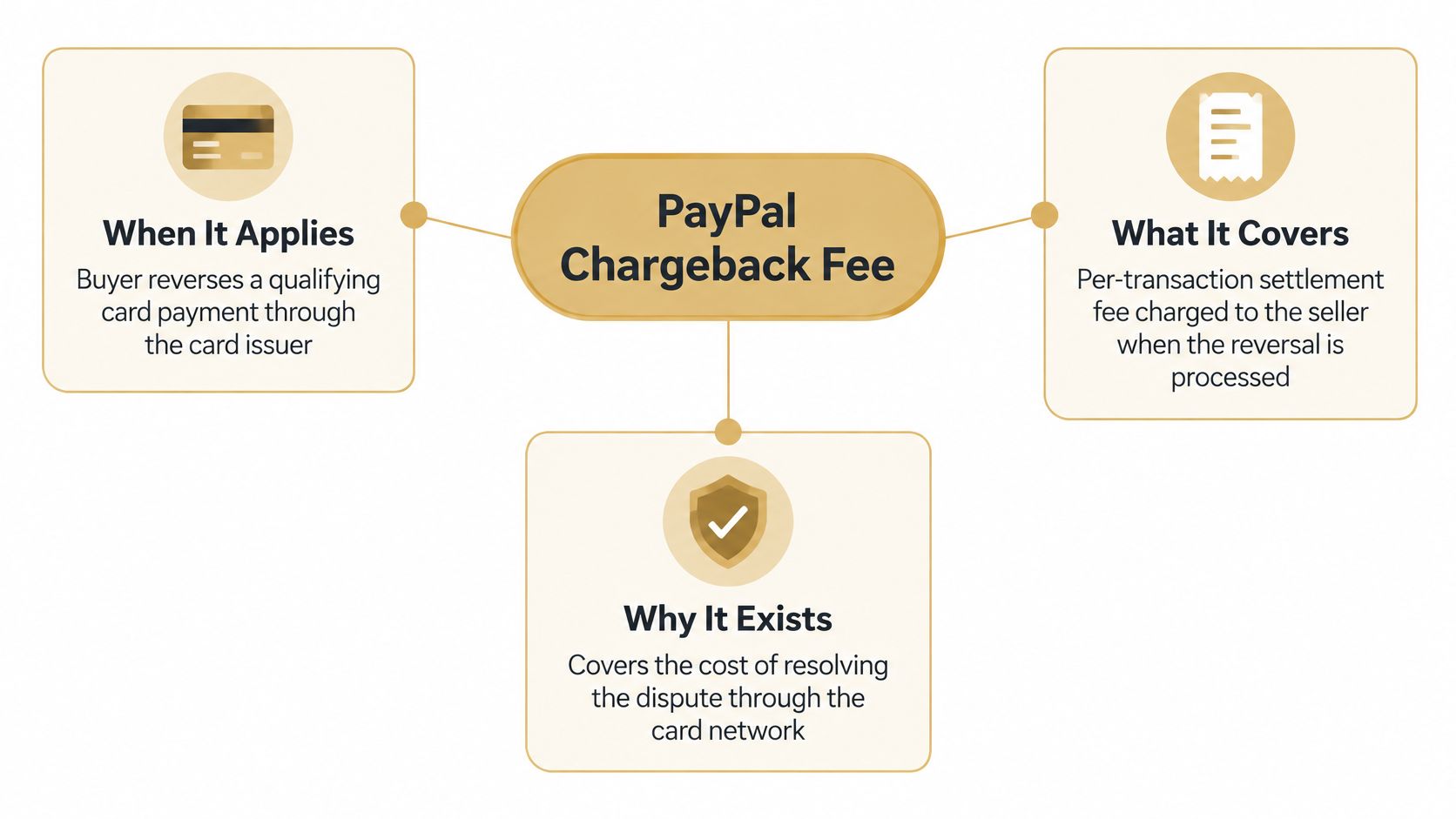
The PayPal chargeback fee is a per-transaction settlement fee charged when a buyer reverses a qualifying card payment through the card issuer, and its amount is set by market and currency rather than one global figure. It's waived when every requirement of PayPal's Seller Protection Policy is satisfied, so the number that matters is the one on the fee schedule for the currency you get paid in.
The most popular piece of advice on this topic tells you to wait for the chargeback, then fight it with evidence. That default is the expensive one, and it's why so many merchants get surprised by what leaves their balance. The fee is rarely the largest line. The reversed sale usually is, and the acquiring-bank pass-throughs and staff hours around it often outrank the fee too. Once you treat the headline number as one entry in a five-line calculation, your decisions get better fast.
What the PayPal Chargeback Fee Covers
Start with the mechanics. A chargeback fee is a per-transaction settlement fee charged when a buyer rejects or reverses a qualifying card transaction through the card issuer. PayPal's own explanation is straightforward: card networks bill PayPal for every chargeback it processes, and PayPal passes that cost to the seller at a reduced rate, as laid out in the PayPal business fee schedule.
Two qualifiers shape everything that follows. The fee is not generally applied to transactions processed through a buyer's PayPal account or standard PayPal guest checkout. It applies to specified credit and debit card transactions processed through PayPal's card-payment services. And the amount is currency-specific, so there's no single global figure to memorize and no useful benchmark in a forum thread.
The four cost lines behind one reversal
Pull a single disputed sale apart and you find four separate charges, each with its own trigger and its own escape route.
| Cost component | Who bears it | When it applies | Waived or reduced when |
|---|---|---|---|
| PayPal chargeback fee | Merchant | Card chargeback processed through PayPal card-payment services | All Seller Protection Policy requirements are met |
| Reversed transaction amount | Merchant | Any reversed sale not covered by Seller Protection | Covered by Seller Protection when the transaction is eligible |
| Acquiring bank or card network fees | Merchant, passed through | Charged separately by the bank or card network | Not removed by PayPal's fee waiver |
| Merchant Dispute Fee | Merchant | Disputes on PayPal account or PayPal guest checkout transactions | Waived for amicable resolutions and certain inquiries |
Read the rows in order and the structure becomes obvious. PayPal's fee is a processing charge. The reversed amount is the sale itself going back to the buyer. The acquiring bank or card network charges what it charges, and PayPal's waiver doesn't reach it. The Merchant Dispute Fee is a different animal entirely, sitting on PayPal-account and guest-checkout disputes rather than card-processing ones.
PayPal draws that distinction explicitly: its chargeback fee is not the reversed transaction amount, and it is not the fees assessed by acquiring banks or card networks.
Why the currency setting changes your number
The headline fee in a US blog post tells a merchant in another market nothing. Because the amount is currency-specific, you have to open the fee schedule for the market and currency in which you receive funds. A merchant settling in one currency and a merchant settling in another can run identical volumes and pay different amounts per case, which is why budgeting from a quoted figure borrowed from someone else's account is a reliable way to undercount.
The practical consequence sits at the end of the chain. Where a transaction isn't covered by Seller Protection, PayPal may debit both the reversed amount and the applicable chargeback fee from your PayPal balance. That's the moment the fee stops being a line item and becomes a cash-flow event.
When the Fee Applies and When It Is Waived
The payment route and your dispute rate determine which PayPal fee applies. A dispute reason code alone cannot tell you the cost.
For sales funded through a PayPal account or PayPal Checkout as a guest, PayPal's current dispute-fee guidance describes the Merchant Dispute Fee. It can apply whether the case arrives as a PayPal dispute, a card issuer chargeback, or a bank reversal.
PayPal also distinguishes standard and high-volume dispute fees. The high-volume fee applies when your dispute rate is at least 1.5% and you recorded more than 100 sales transactions during the previous three full months. Both thresholds must be met. A merchant below either threshold remains outside the high-volume condition.
Where the waivers actually sit
The standard dispute fee is waived for inquiries that do not escalate to claims, disputes resolved amicably between buyer and seller, and inquiries filed directly with PayPal as unauthorized transactions. A prompt response can help keep a buyer's inquiry from escalating. The waiver does not apply to every kind of dispute fee.
Unbranded PayPal Pro or Advanced card-processing transactions do not incur the Merchant Dispute Fee. Other chargeback-fee policies may still apply, so check the payment route before estimating costs.
| Scenario | Fee that applies | Condition | Waiver or exception |
|---|---|---|---|
| PayPal account or guest checkout, standard dispute | Standard Merchant Dispute Fee | Dispute rate below 1.5%, or 100 or fewer sales in the previous three full months | Waived when resolved amicably between buyer and seller |
| PayPal account or guest checkout, high volume | High-volume dispute fee | Dispute rate at least 1.5% and more than 100 sales in the previous three full months | Inquiries that do not escalate to claims are waived |
| Unbranded PayPal Pro or Advanced card processing | No Merchant Dispute Fee | Unbranded card-processing transactions | Chargeback-fee policies can still apply |
| Inquiry not escalated to a claim, or filed with PayPal as unauthorized | Standard dispute fee waived | Inquiry does not escalate to a claim, or is filed with PayPal as an unauthorized transaction | Waiver applies to the standard dispute fee |
Practical rule: sort recent cases by payment route before reason code. Two disputes with the same reason code can have different fee exposure if buyers used different payment methods.
A formal chargeback can mean a reversed sale, a fee, evidence work, and a debit from your balance. Handling disputes before they are filed can reduce that exposure. PayPal chargeback protection is one option to consider alongside your own dispute triage.
Calculating Your Total Cost for One Dispute
Here's where the headline number loses its authority. Take one card-funded sale for $100, reversed by the buyer through the card issuer. Build it line by line instead of reaching for a single figure.
| Line | Amount on a $100 card sale | What sets it |
|---|---|---|
| Reversed transaction amount | $100.00 | The sale going back to the buyer |
| PayPal chargeback fee | Your currency's scheduled figure | The fee schedule for the market you settle in |
| Acquiring bank or card network pass-through | Set by the bank or network | Charged separately, per PayPal's chargeback fee guidance |
| Internal handling | Your loaded hourly cost per case | Evidence assembly, tracking lookups, follow-up |
| Protection recovery | Up to $100.00 back, if eligible | Checked before you count it, not after |
Note what the second row says. PayPal's business-fee schedule states that dispute fees depend on the transaction currency, and that additional acquiring-bank or card-network fees may be passed through separately. That's why the honest answer to "how much is the fee" is a schedule lookup, not a number pulled from an article.
The same $100 sale on a different route
Change the payment route and the arithmetic changes shape. Run the identical $100 sale as a PayPal account transaction, and the card chargeback fee generally doesn't apply, though the Merchant Dispute Fee can. Run it as guest checkout, and you're back in dispute-fee territory with a different trigger. Run it as unbranded PayPal Pro or Advanced card processing, and the Merchant Dispute Fee drops away while chargeback-fee policies can still bite. Same product, same buyer, three different cost pictures.
Then layer protection. Eligible Chargeback Protection can waive PayPal's assessed fee and cover losses up to a monthly cap. It does not automatically eliminate third-party fees, and it doesn't reimburse your team's time.
Paying for protection doesn't buy a zero-cost dispute. It removes PayPal's line and leaves the network pass-throughs and the handling hours where they were.
Why high volume changes the decision
For a merchant taking a handful of disputes a month, the total exposure per case is a rounding error against revenue. For one taking dozens, the small pass-through charges multiply into a number that changes strategy. That's the argument for automatic refunds versus representment: not the fee itself, but the fee plus handling plus funds held during representment, multiplied across the caseload. Run the calculation on a per-case basis, then multiply by your actual monthly count and decide with both numbers in front of you.
Refunding, Fighting or Protecting Each Dispute
Three responses exist, and merchants tend to pick a favourite and apply it to everything. That's the mistake. Each response fits a different case, and applying the wrong one either gives away money or burns staff time on a fight you were going to lose anyway.
Refund before the chargeback files
PayPal's developer documentation indicates a merchant can issue a refund within 20 hours in certain external-dispute workflows without fulfilling the order, which avoids the chargeback and its fees. That window is short, and it's the reason a weekly dispute review is useless. By the time the review happens, the option has expired.
PayPal also states that standard dispute fees are waived when an inquiry is resolved amicably before escalation to a claim. Both exits reward speed over deliberation.
What the documentation doesn't settle for you: which event starts the clock, whether the rule covers every transaction type and market, and whether a partial refund satisfies it. Test those against your own account before you write a policy around them, and decide in advance how an automated refund affects inventory, subscription access, tax records and fraud controls. A refund that cancels a subscription incorrectly creates a second dispute later.
Fight with evidence
Fighting suits delivered orders with tracking, a signed signature and a policy that says what you promised. A lost case still incurs the fee on top of the lost sale, so the decision isn't "can I win" but "is my evidence strong enough to justify the fee risk plus the hours". For a $400 order with a clean delivery scan, fight. For a $12 order with an ambiguous delivery confirmation, the maths rarely closes.
Rely on protection
Seller Protection and chargeback protection suit eligible transactions in covered dispute categories, where PayPal's fee can be waived subject to monthly loss caps. Network and acquiring fees may still pass through, which is why the protected case is cheaper, not free.
| Response option | Best when | Cost trade-off | Main risk |
|---|---|---|---|
| Refund before the chargeback is filed | Low-value orders with a clear non-delivery or damage claim | Sale is lost, but the PayPal fee and representment time are avoided | Friendly fraud where the claim would have failed anyway |
| Fight with evidence | Delivered orders with tracking, signed proof and a clear policy | Fee applies if the chargeback is processed, plus staff time for evidence | A lost case still incurs the fee |
| Rely on Seller Protection or chargeback protection | Eligible transactions in covered dispute categories | PayPal fee can be waived, subject to monthly loss caps | Network and acquiring fees may still pass through |
| Use a dispute prevention tool | High-volume, subscription or repeat-dispute merchants | Per-alert pricing, for example 16 dollars per Verifi by Visa RDR alert, charged only when a chargeback is prevented | Paying per alert on cases you would have won |
A fast refund is financially rational even when you'd probably win, because it dodges the fee, the representment hours, the held funds and the dispute-ratio pressure that follows a loss. The opposite failure is just as common: refunding every alert and overpaying friendly fraudsters whose claims would have collapsed under scrutiny.
Segment instead. Set thresholds by amount, customer history, delivery evidence and reason code. Check whether your dispute transaction on PayPal came in as a PayPal dispute or a card chargeback, since the response window and decider differ. Then write the rule down so the same alert produces the same answer next month.
Decision rule: below your refund threshold with no delivery scan, refund. Above it with proof of delivery, submit evidence. In a covered category with clean paperwork, let protection handle it.
How to Reduce Chargebacks Step by Step
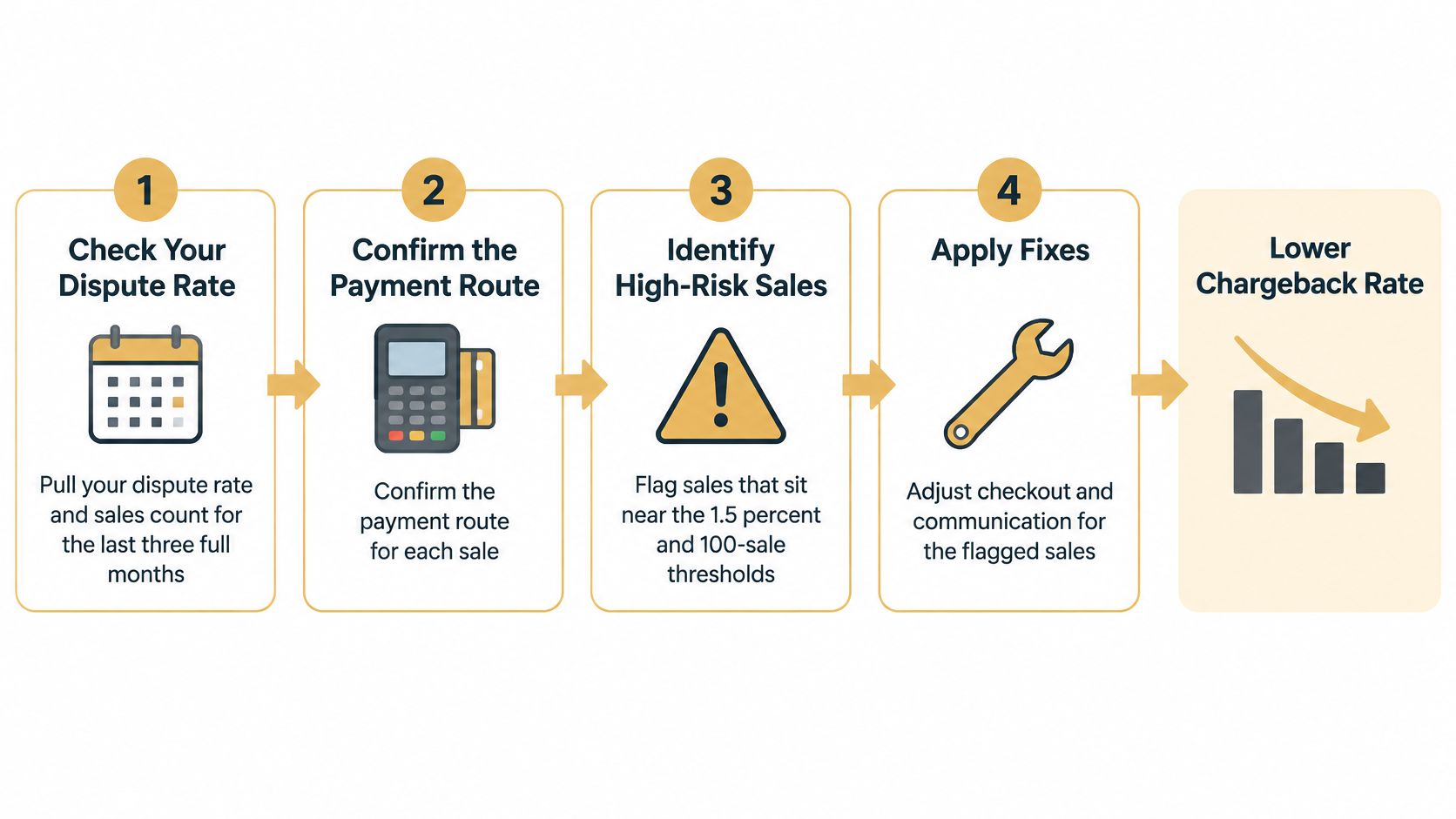
A lower chargeback rate starts with finding where disputes come from. Work through these steps in order, then focus on the causes showing up most often.
- Review dispute rates and sales over the same period. Use the trailing three-month window when assessing PayPal disputes. Comparing disputes with only the previous month's sales can give you a misleading picture.
- Separate sales by payment route. Card-funded PayPal payments, PayPal account payments, guest checkout and unbranded card processing can follow different fee rules. Track them separately so you can see where disputes and costs are concentrated.
- Make the statement descriptor recognizable. Buyers are more likely to question a charge they cannot identify. Use a billing name customers will connect with their purchase, rather than an unfamiliar parent-company name or order-ID string.
- Keep delivery confirmation with the order record. Save the tracking number and delivery scan where support staff can retrieve them quickly. Tracking available only in a carrier portal is harder to use when responding to a claim.
- Answer buyer questions promptly. A clear response can resolve confusion before it escalates into a claim. Assign ownership of the support inbox so messages do not sit unanswered.
- Set refund rules by dispute type. Use the amount, customer history, delivery evidence and reason code to guide the decision. A consistent rule helps avoid refunds on claims you can contest and drawn-out fights over low-value orders.
- Review recurring reason codes. A rise in one category can point to a confusing product listing, a shipping promise or a checkout issue. The overall dispute count alone will not show which process needs attention.
Start with changes that improve clarity and recordkeeping. A recognizable descriptor can reduce confusion about a charge, while stored delivery details make relevant evidence easier to find. Tighten checkout at the same time with these PayPal fraud prevention steps. For account and invoicing considerations, see these PayPal payment tips from Mega Income Stream.
For merchants handling repeated disputes, alerts can create an opportunity to refund before a chargeback is filed. Disputely connects to Visa's RDR, Mastercard's CDRN and Ethoca alerts. Merchants set refund rules, and Disputely automatically processes refunds according to the merchant's authorization and configuration. Customers pay only when a chargeback is successfully prevented.
Here's the workflow in practice, from the intake side.
Track the dispute rate, recurring reasons and time taken to answer buyers. A falling dispute count is useful, but the underlying reason codes show whether checkout, billing clarity or fulfillment needs further work.
Confirm Your Dispute Policy Before the Next Alert
Policy work is what stops the next alert from becoming an argument. Run this check today, because the early-refund window is short and a decision that waits for a weekly meeting arrives after it closes.
- Name one owner per reason code. Not a team. A person, with a default action written next to their name on a one-page rule sheet.
- Fix the decision deadline. Confirm who can approve a refund without escalation and how fast, so a Friday alert doesn't sit until Monday.
- Verify the fee schedule for your market and currency. Then confirm which payment routes you use, because the schedule you read is worthless if your checkout sends volume elsewhere.
- Check your position against the two thresholds that set the higher fee, using the same three-month window PayPal does.
- Compare exposure with prevention cost. Take the total you calculated for one dispute and stack it against per-alert pricing charged only when a chargeback is prevented.
The single action for this week: pick the reason code with the highest volume in your last three months and write its refund rule first. One rule, one owner, one threshold. Everything else follows from getting that one right.
Disputely catches chargebacks before they file, connecting to Visa's RDR, Mastercard's CDRN and Ethoca alerts so a disputed transaction comes back to you with time to refund instead of a fee to absorb. You set the rules and we handle the alert in real time, and you pay only when a chargeback is prevented. If the fee was the smallest line in your last dispute, start with Disputely and shrink the rest of the calculation.


